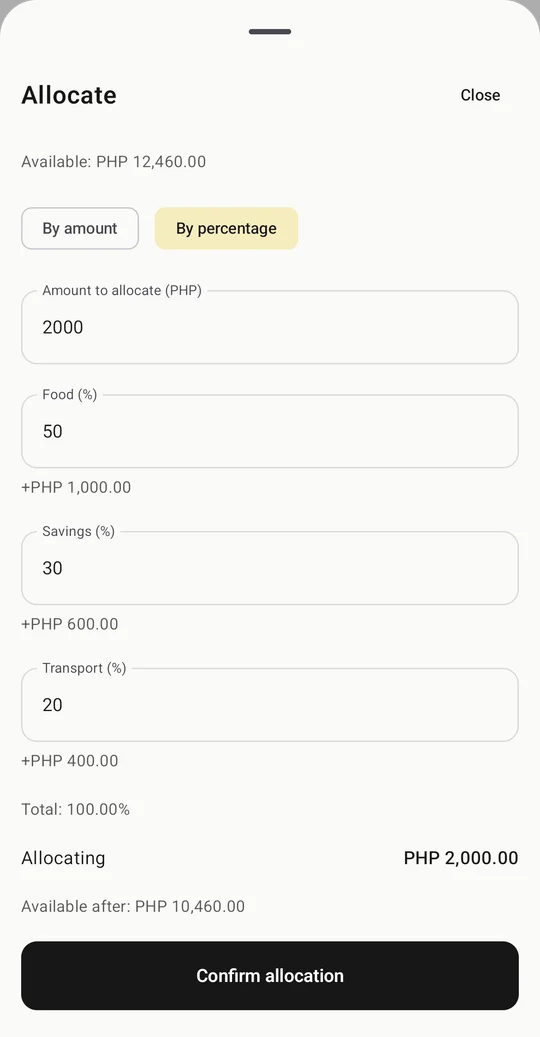
A plan for every category.
Add your allowance or income, then divide it by amount or percentage. Create categories that fit the way you actually live.
A little for food. A little for the commute. Something for later. Re:Save helps you plan your categories and keep track of everyday spending, all in one clear overview.
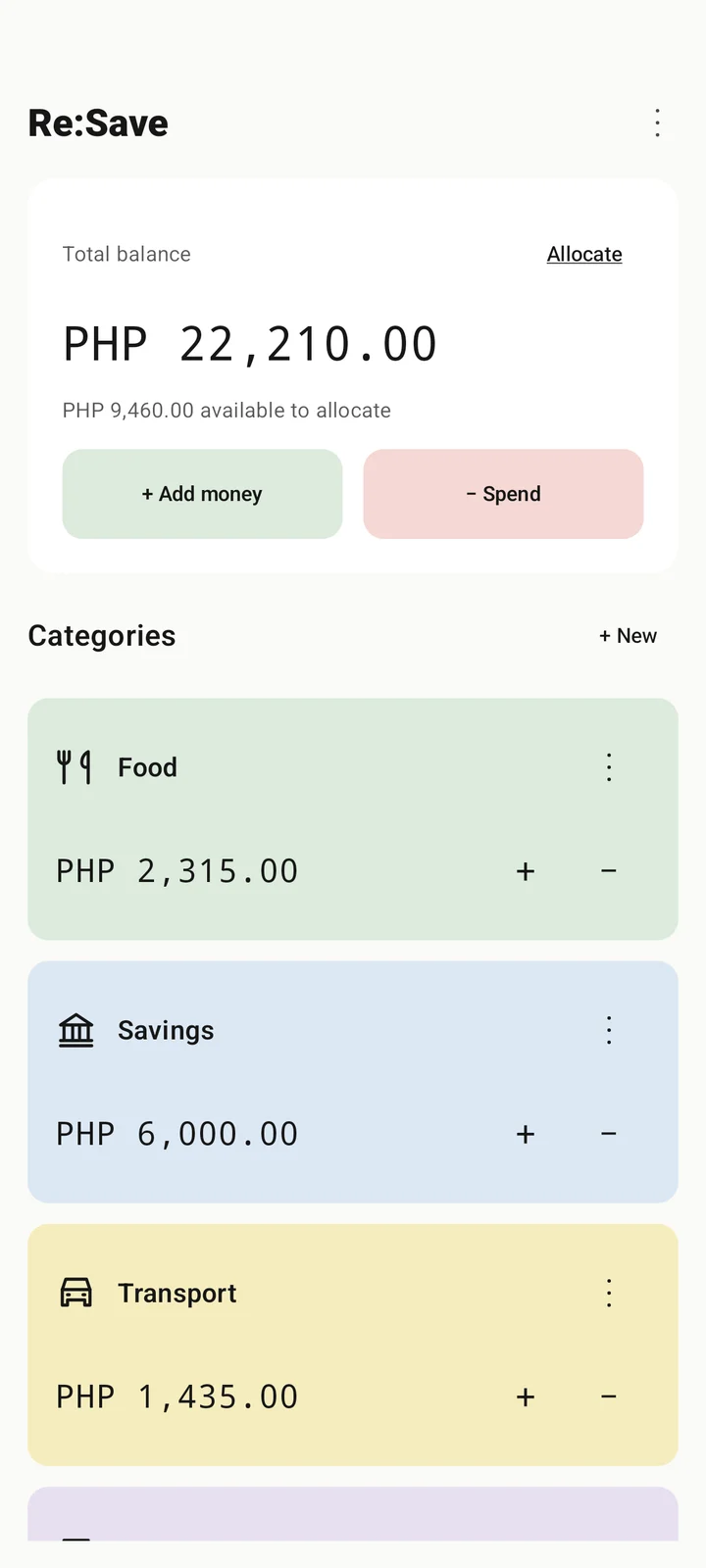
Choose where your money goes, record what you spend, and adjust when the day changes.
Add your allowance or income, then divide it by amount or percentage. Create categories that fit the way you actually live.
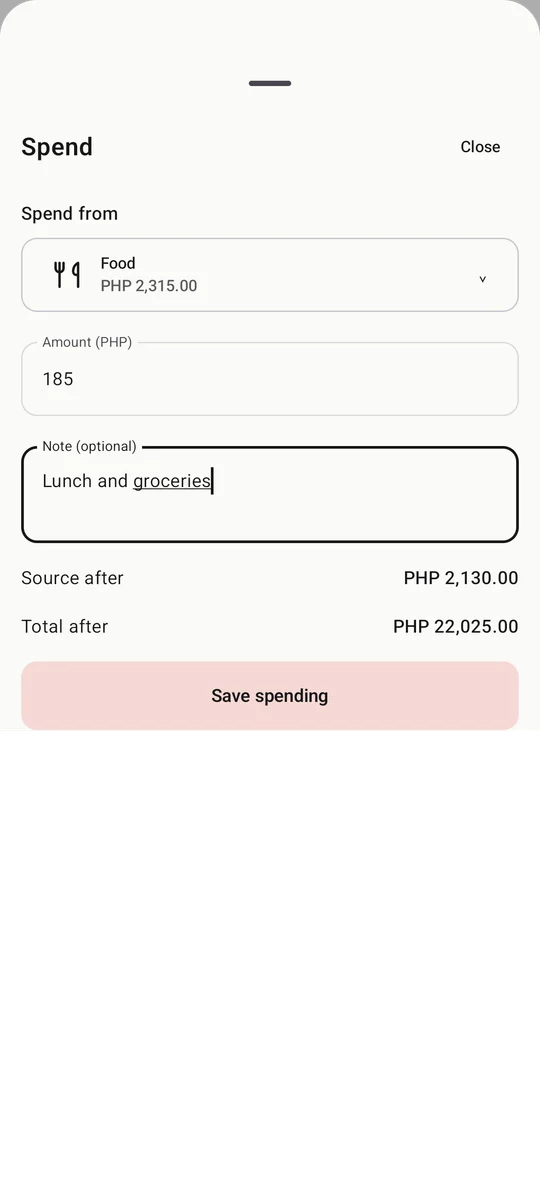
Choose a category or unallocated money for each expense. If a category runs short, recording debt always needs your confirmation.
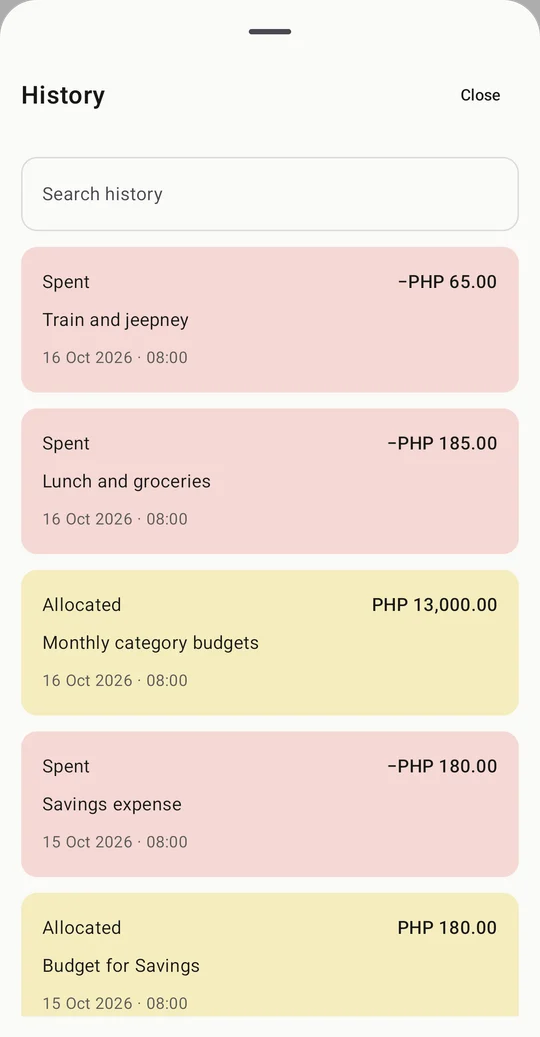
Find a transaction by category or note. Keep local backups, or export your records as CSV for your own spreadsheet.
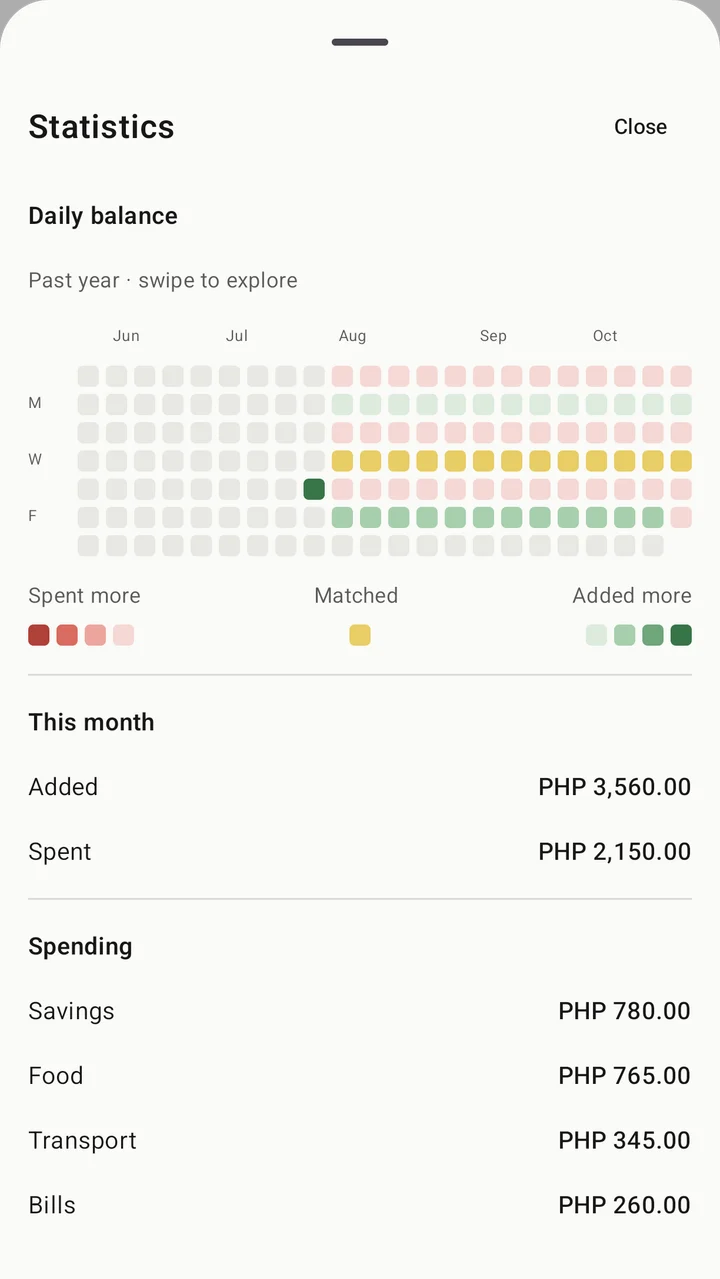
A daily color grid and monthly totals help you look back at what came in and what went out. A small record of your habits, one day at a time.
Core tracking works offline, without a bank connection. You can start without signing in.
Help us try Re:Save before its public release. Here’s what signing up means.
Re:Save is in testing and is not publicly released. Leave your email to request a place. We’ll contact you about access and the next steps when a place is available. There is no confirmed public release date.
Your email is added to the testing request list. Signing up does not automatically enroll you in Google Play testing or grant immediate access. Testing invitations and enrollment are handled separately.
The current app is for Android phones running Android 8.0 or later. There is no iOS or web app available.
You enter income and expenses yourself. Re:Save does not connect to your bank or move real money. Category allocations help you plan the money you record in the app.
Choose PHP, USD, EUR or GBP before your first transaction. Each ledger keeps one currency. Re:Save does not convert currencies or provide exchange rates.
Re: Sauce stores your email address, signup time and consent record to manage Re:Save testing requests and contact you about testing access. Joining this list does not subscribe you to a marketing newsletter. You can withdraw by replying to a testing invitation. The signup does not collect your financial records.
Try it early. Tell us what works, and what could feel simpler.