 BlinkRead
Bring your reading.
Import a PDF, an EPUB book, or a text file from your device.
PDF · EPUB · TXTYour books, notes, and documents. One word at a time, at a pace you choose.
Try the word flow. A preview, not a speed test.
Preview paused. Choose a speed and press play.Bring what you already read.
Your material. Your pace.
BlinkRead is a speed reading app that turns long text into focused, adjustable reading sessions.
Import a PDF, an EPUB book, or a text file from your device.
PDF · EPUB · TXTChoose your words per minute. Follow the RSVP word flow and adjust as you go.
Adjustable WPMSave your place, take on daily challenges, and track your reading over time.
Progress that stays with you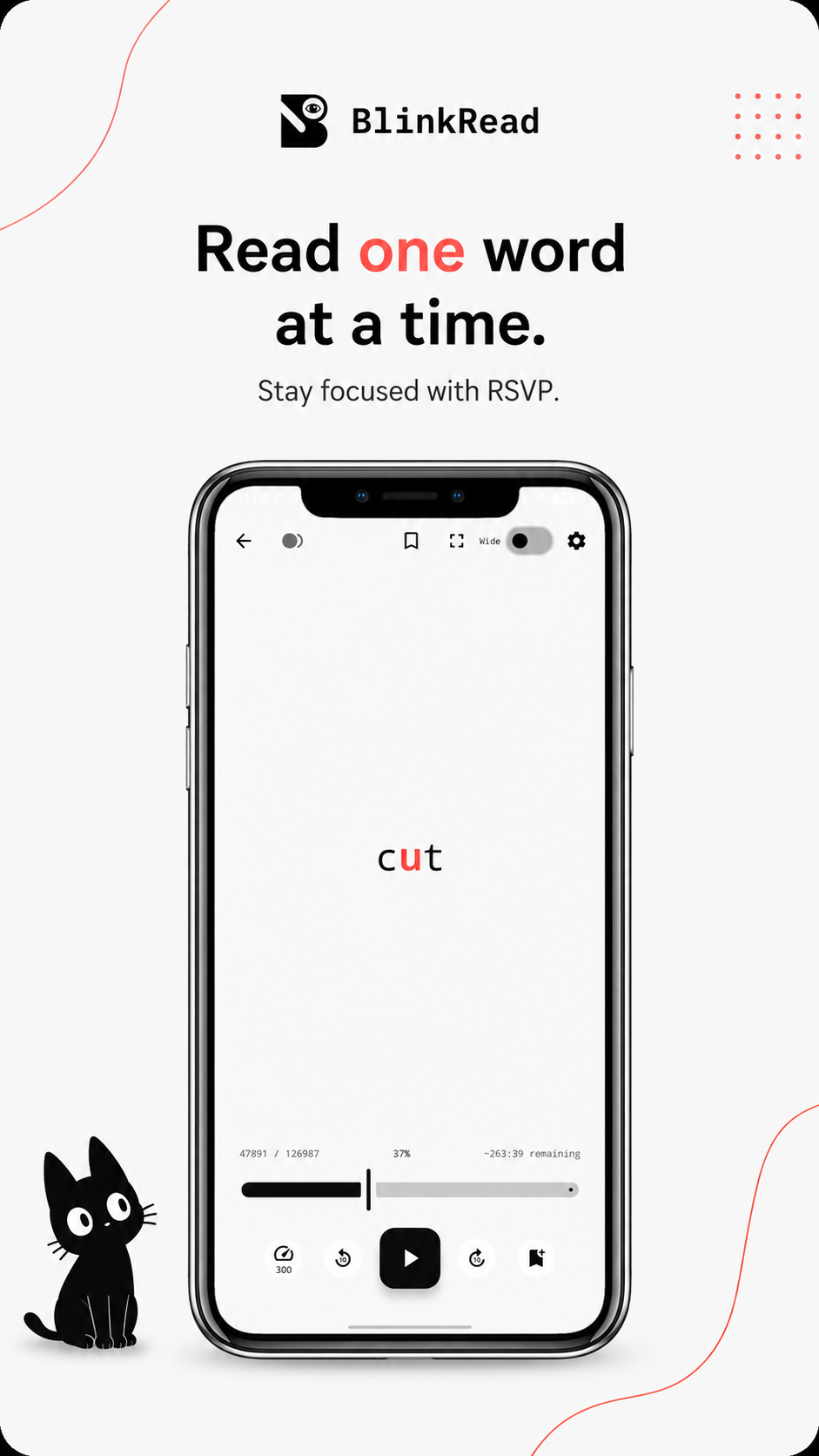
Actual app screen from Google Play
Adjust the word flow to suit the text in front of you.
Reduce distractions or emphasize parts of words for recognition.
Reading time, words read, streaks, badges, and daily challenges.
From the next chapter to the next deadline, make space for the material that matters to you.
Bring course PDFs and revision notes into shorter, focused study sessions.
Notes → next examWork through reports and documents at a pace that fits your day.
Reports → next meetingOpen your EPUBs, keep your place, and give the next chapter a moment of your day.
Book list → next chapterUse word flow for a first pass through papers. Slow down for the details that need a closer look.
Papers → next questionHere is the short version. The full policy explains storage, third-party services, and your choices.
The privacy policy says imported files and reading content are processed and stored locally.
Google Play discloses collection and sharing of app activity and device or other IDs. The policy details Google advertising, analytics, and crash reporting services.
Google Play lists encryption in transit and an option to request data deletion.
RSVP means rapid serial visual presentation. Words appear in one place at a chosen speed, instead of making you scroll through paragraphs. The preview above shows the idea.
BlinkRead supports PDF, EPUB, and TXT imports. Bring your own books, notes, and documents.
The app is free to download on Google Play. It contains ads and offers in-app purchases, including Premium. Check the store and app for current options and pricing.
BlinkRead is available on Android now. An iOS version is coming soon; there is no release date to share yet.
BlinkRead gives you tools to practice at different speeds. Choose a pace you can comfortably understand, especially for complex material. Reading results vary.
Meet BlinkRead. Available now for Android.